
Symptom trackers allow you to visually track your symptoms and see your progress over time. The symptoms available to track are community specific to best serve the needs of each community.
To record a symptom
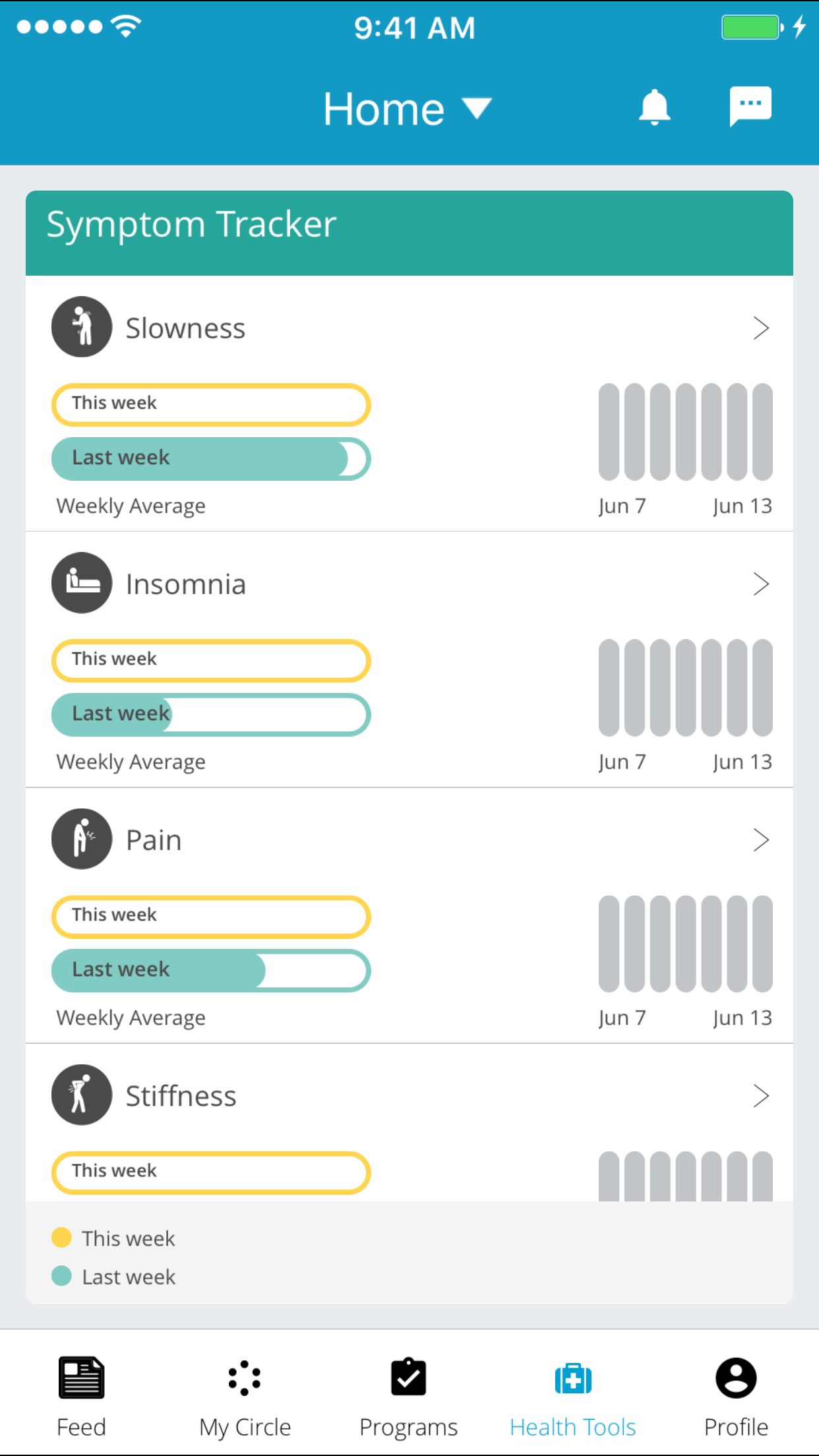
1. Scroll up and down to find the symptom you want to record - tap the symptom you want to record.
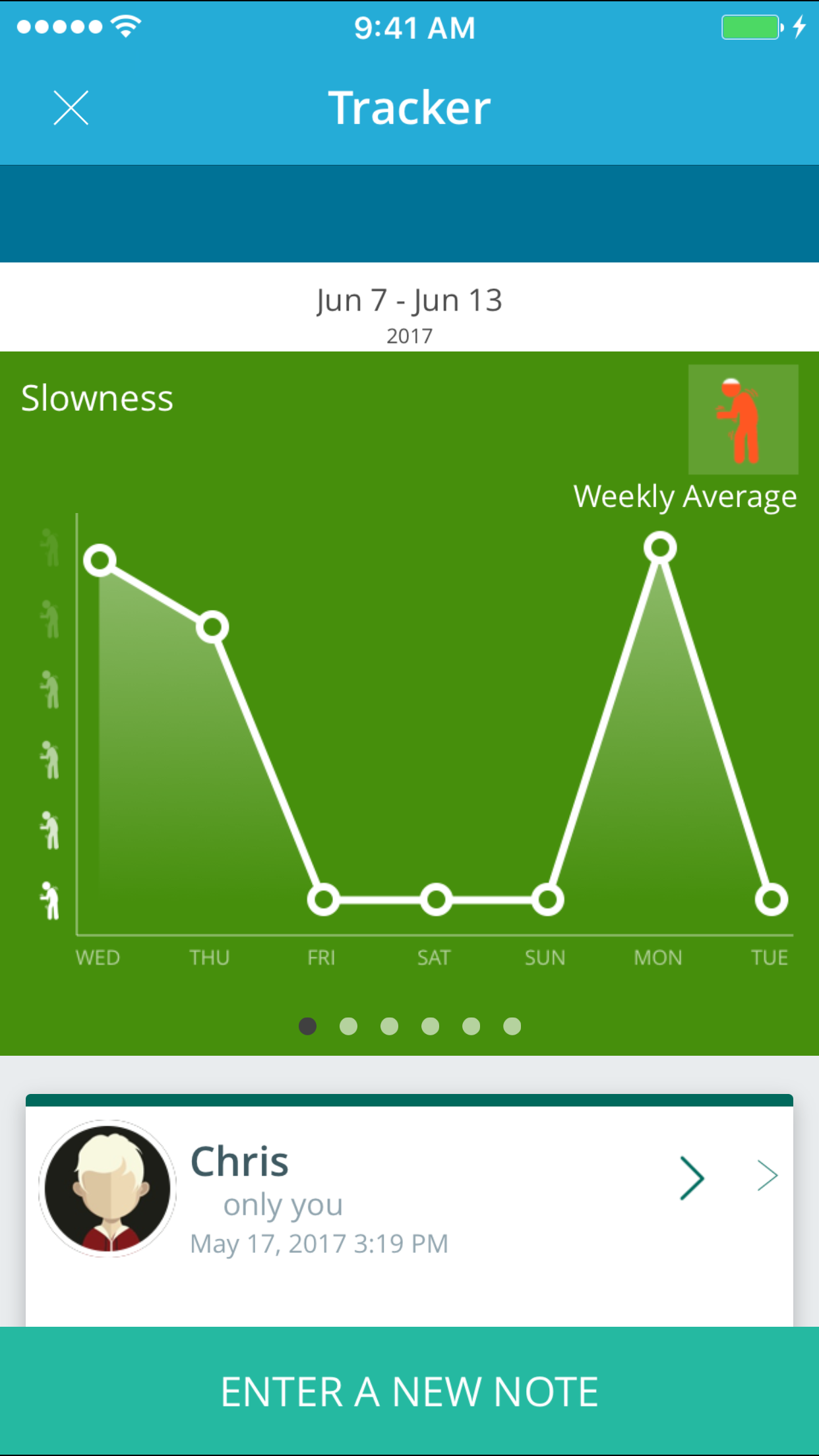
2. From the next screen you will see a chart of your symptom history. If you scroll down, you will see all of the previous symptoms you have recorded. - Tap "ENTER A NEW NOTE" at the bottom of the screen to record a symptom.
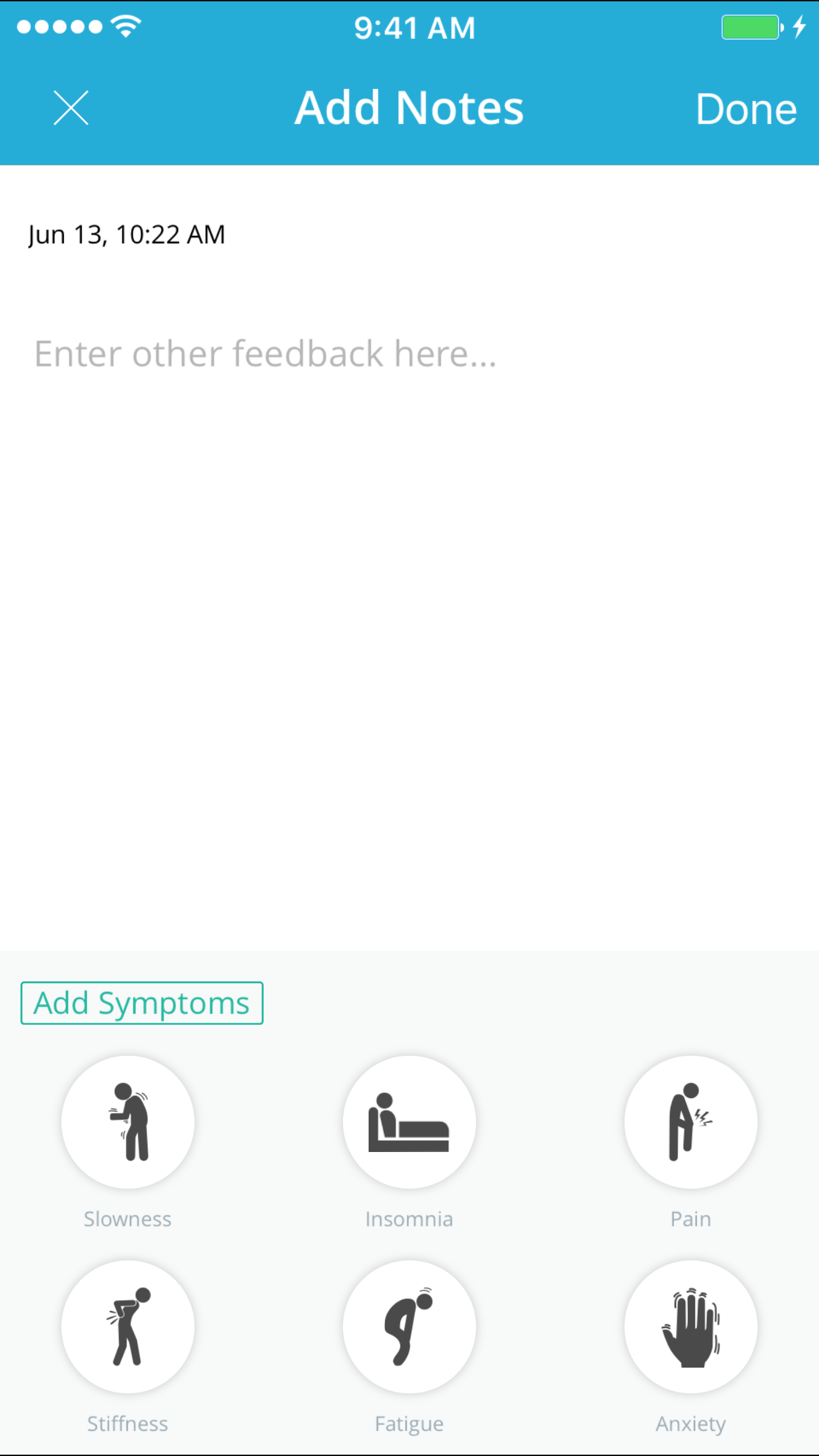
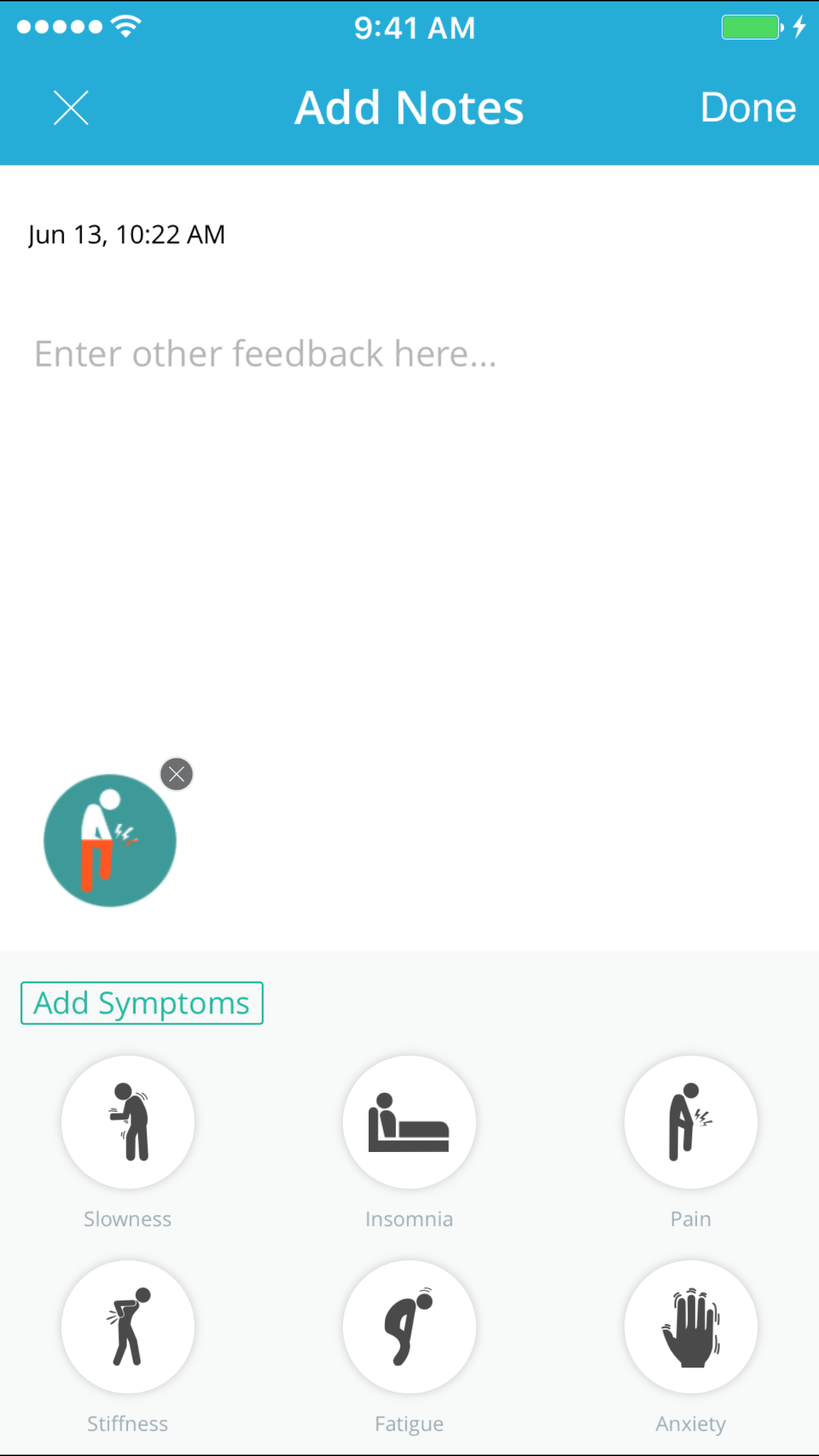
3. Here you must choose the symptom symptom you want to record from the grey box at the bottom (You can scroll to see more symptoms)
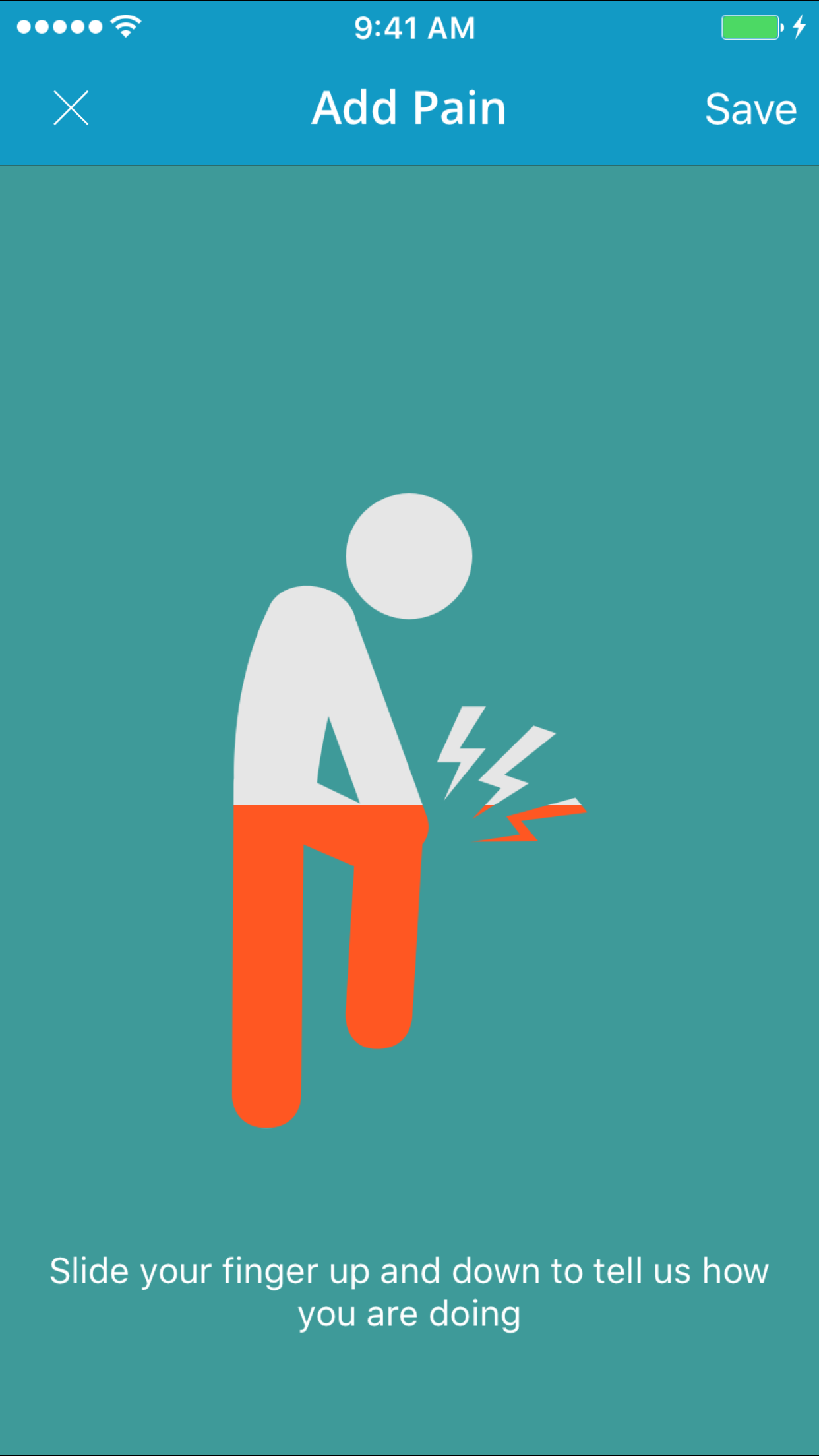
4. Now you can slide your finger up and down on the screen to record the severity of the symptom. Once done, hit save in the top right corner.
5. Now that you have your symptom recorded, you can add a note to it if you like. Hit save in the top right corner to save your symptom.
Comments
0 comments
Article is closed for comments.